

Where mobile falls short at Kanuuna
Kanuuna operates as a browser-based casino with no dedicated mobile application for iOS or Android. Everything runs through your phone's web browser – Safari, Chrome, Firefox or whichever you prefer. That means instant access without eating up storage, but it also means you're working within the constraints of a mobile browser rather than a purpose-built app.
The layout compresses onto a smaller screen, and while the operator has optimised the site for touch, some elements feel cramped. Live dealer tables can be harder to follow when the video feed shrinks to fit a phone display, and navigating a library of several thousand slots by swiping through thumbnail grids is slower than filtering on a desktop. Customer support via live chat works, but typing out a detailed question on a phone keyboard is less comfortable than doing so at a proper desk.
If you're used to the snap and polish of a native app – the kind of interface Zimpler's own banking app provides, for instance – the mobile web experience will feel a step behind. There's no face recognition login, no push notifications for bonus expiry, and no offline mode for checking your transaction history. 18+
Playing from a phone – the practical route
Getting to Kanuuna from a mobile device is straightforward. Open your browser, type the operator's address into the URL bar, and log in with the same credentials you use on desktop. The site detects your screen size and serves a responsive layout automatically – no separate mobile domain, no redirect, no app store detour.
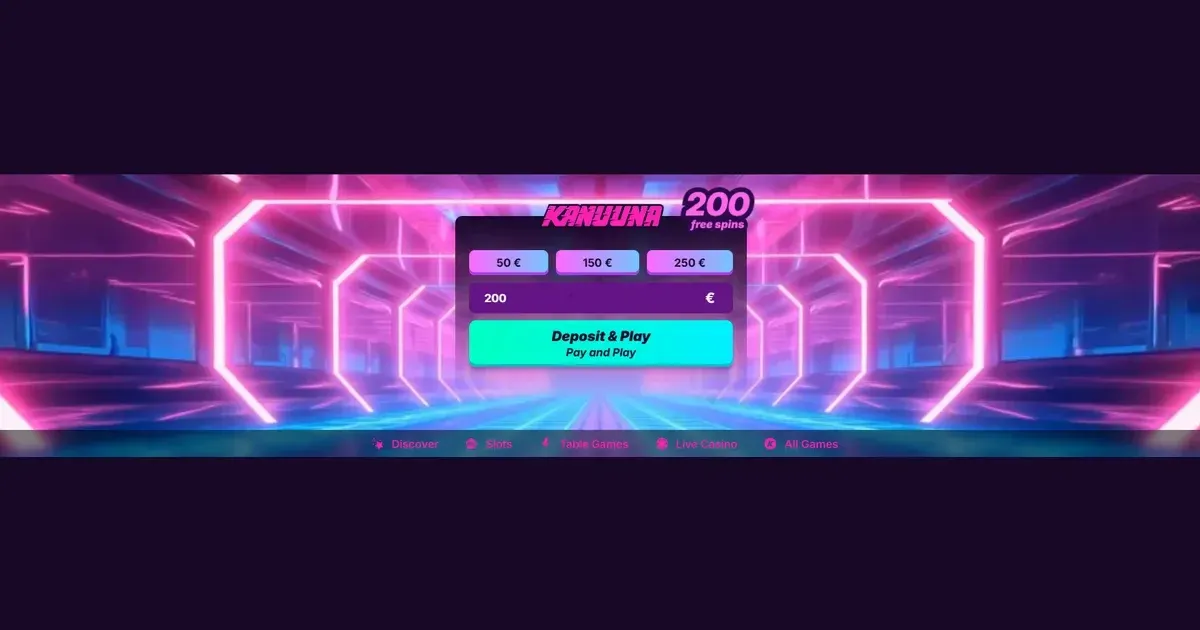
Registration works identically: tap the sign-up button, fill in your details, make your first deposit of at least 20 EUR, and the 200 free spins welcome offer (20 spins daily for 10 days, wager-free) is credited to your account. T&Cs apply. 18+. New customers only. Please gamble responsibly (BeGambleAware.org).
Because Kanuuna integrates Zimpler's Pay N Play system, funding your account from a phone is faster than the traditional route. Select your bank – Nordea, Danske Bank, SEB or Swedbank – authenticate through your banking app, and the deposit lands instantly. No card details typed on a small keyboard, no saved payment methods to worry about on a device you might misplace.
Withdrawals follow the same principle: request a payout through the cashier (up to 4,000 EUR per day), and funds arrive within 24 hours via Zimpler or between one and five business days for standard bank transfers. The identity verification documents the operator requires – proof of identity and address before your first withdrawal – can be photographed and uploaded directly from your phone's camera, which is actually easier than scanning them at a desktop.
What the operator actually provides on mobile
Kanuuna's mobile site mirrors the desktop version in structure. The game library – slots from Pragmatic Play, Play'n GO, NetEnt and others, plus live dealer tables from Evolution Gaming and Ezugi – loads in the browser without requiring separate mobile builds. Titles such as Money Train 3, Jammin' Jars and Gonzo's Quest run in HTML5, so they scale to your screen and respond to touch without needing Flash or a plugin.
The cashier is accessible from the account menu. Deposit limits, withdrawal requests and transaction history are all available on a phone, though the tables displaying past transactions can feel cramped when squashed into portrait orientation. Rotating to landscape helps, but not every player thinks to do so.
Customer support channels – live chat and email – function on mobile, though the chat window overlays the game screen rather than sitting beside it, so you'll need to pause play to type a message. The operator's site is available in English, Finnish and Estonian, and language selection works the same way it does on desktop.
Good to know: the responsible gambling tools the operator provides – deposit limits, loss limits, session reminders and self-exclusion – are managed through your account settings and remain in force whether you're playing from a laptop, a phone or a tablet. Setting a daily deposit cap of 50 EUR on your desktop means that limit applies when you open the site on your phone an hour later.
The parts that work well on a small screen
Slots adapt cleanly to portrait mode. The reels fill the screen, the spin button sits within easy thumb reach, and autospin settings are accessible without scrolling. For straightforward slot play – picking a game, adjusting your stake, watching the reels turn – a phone screen is perfectly adequate, and in some ways preferable: you can play from a sofa, a train or a café without hauling out a laptop.
The Pay N Play deposit flow is arguably smoother on mobile than on desktop. You're already holding the device that runs your banking app, so the authentication handoff – from Kanuuna's cashier to Nordea's app and back – happens in seconds. On a desktop you'd need to fetch your phone anyway to approve the transaction, so mobile eliminates a step.
Zimpler's instant withdrawal promise holds on mobile too. Request a payout, and if you're within the 4,000 EUR daily limit and your account is already verified, the money can reach your bank account within an hour. That speed matters more when you're away from home and want access to your funds quickly.
| Feature | Mobile browser performance |
|---|---|
| Slots | Full library, smooth performance |
| Live dealer | Works, but video feeds are smaller |
| Deposits | Instant via Zimpler, card input fiddly |
| Withdrawals | Request and track from phone |
| Support | Live chat and email available |
| Account settings | All limits and tools accessible |
Battery, connection and session length
Playing in a browser rather than a dedicated app has practical consequences. Your phone's battery drains faster when streaming live dealer video over a 4G connection than it does during a brief session of static-reel slots on Wi-Fi. If you're planning a longer session, plug in or keep a charger handy – a phone that dies mid-spin is an annoyance, and a phone that dies while you're halfway through a live blackjack hand with real money on the table is worse.
Connection stability matters more on mobile. A desktop connected via Ethernet rarely drops a session, but a phone switching between Wi-Fi and mobile data, or passing through a tunnel on a train, can interrupt the socket that keeps your game state synced with the server. Most modern slots recover gracefully – the result of a spin is determined server-side, so reconnecting shows you the outcome – but live dealer games are less forgiving. Miss a few seconds of a roulette round and you've lost the context of the hand.
Screen timeout settings on your phone can also interfere. If your device is set to lock after two minutes of inactivity and you're watching a bonus round play out in a slot, the screen may go dark before the round finishes. Adjust your timeout or tap the screen occasionally to keep it awake. Worth remembering: a phone set to auto-lock is a useful safety feature when you're playing in a public place – it prevents someone glancing over your shoulder from seeing your balance or transaction history.
A short checklist before playing on mobile
Before you start a session on your phone, run through these practical checks. They take a minute and prevent the common frustrations that turn mobile play into a headache.
- Confirm you're on the operator's own domain. Phishing sites that mimic legitimate casinos are more effective on mobile, where the browser's address bar is compressed and easier to miss. Bookmark Kanuuna's real address the first time you visit it from a desktop, and always open that bookmark rather than following a link from an email or a search result you didn't verify.
- Check your connection. Public Wi-Fi in a café or an airport is convenient but insecure. If you're depositing or withdrawing, switch to your phone's own mobile data or wait until you're on a trusted network. A man-in-the-middle attack on an open Wi-Fi hotspot can intercept your login credentials.
- Set your deposit limit before you start. It's easier to set a sensible cap when you're thinking clearly than it is to remember your limit in the middle of a session. Kanuuna lets you set daily, weekly or monthly deposit limits through your account settings – do so from your phone before you load a game, and the limit will hold even if you get caught up in play.
- Sign out when you're done. If your phone is shared with a partner, a flatmate or a child, leaving your casino account logged in is a risk. Sign out after every session, and consider enabling biometric login – face recognition or fingerprint – if your banking app supports it and you're using Pay N Play. That way the authentication step is still quick, but nobody else can access your account without your face or your thumb.
- Charge your phone, or keep it above 20%. A session that starts at 15% battery is asking for trouble. If your phone dies mid-game, you won't lose money – the server holds the game state – but you will lose your place, and reconnecting on a patchy 4G signal is frustrating.
Responsible gambling on a device you always carry
A phone is always within arm's reach, which makes mobile casino play more accessible than desktop play – and that accessibility cuts both ways. The same convenience that lets you fill five minutes on a bus with a few spins of Starburst also makes it easier to play impulsively, at moments when you wouldn't have sat down at a computer.
The tools the operator provides – deposit limits, session time reminders, self-exclusion through your account settings – work identically on mobile and desktop, but they're more important on a phone precisely because the barrier to opening the site is lower. Set your limits before your first session, not after you've already spent more than you meant to. If you find yourself opening Kanuuna during moments of boredom or stress rather than as planned entertainment, that's a warning sign worth taking seriously.
Blocking software such as Gamban (https://gamban.com) and BetBlocker (https://betblocker.org) both support mobile devices – iOS and Android – and prevent access to gambling sites at the network level, which is more effective than relying on willpower alone. Both are free, and both work across all browsers and apps on your phone.
If gambling is affecting your finances, your relationships or your mental health, free confidential support is available through GamCare (https://www.gamcare.org.uk, National Gambling Helpline 0808 8020 133, 24/7), BeGambleAware (https://www.begambleaware.org) and GamStop (https://www.gamstop.co.uk, a free national self-exclusion scheme). Gordon Moody (https://www.gordonmoody.org.uk) offers residential and online treatment for gambling addiction.
A phone shared with a child needs parental-control software – Net Nanny or Qustodio – that blocks access to gambling sites entirely, regardless of whether an adult is logged in. The minimum age for playing at Kanuuna is 18, and that's a legal requirement, not a suggestion.
This page is for information and marketing purposes only. We are not a casino operator, a bookmaker or an organiser of gambling. Access to this content is restricted to persons aged 18 and over (18+). We encourage you to gamble responsibly – for free, confidential support visit BeGambleAware.org.